Analog Component Types & Properties
Analog Component Types
Supported analog components include:
• P-MOSFET
• N-MOSFET
• Resistor
• Capacitor
• Voltage Source
• Analog gates
Analog Component Properties
MOSFET / Transistor Properties
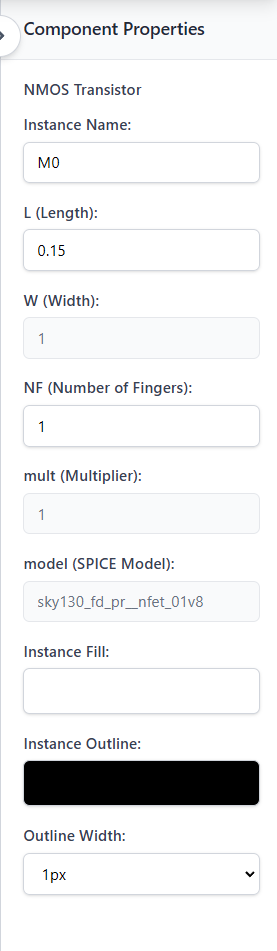
When an N-MOSFET or P-MOSFET is selected, additional SPICE parameters appear:
| Parameter | Description |
|---|---|
| Instance Name | Transistor instance name (e.g., M0, M1, M2) |
| L (Length) | Gate length in microns (e.g., 0.15, 0.18u) |
| W (Width) | Gate width — displayed for reference |
| NF (Fingers) | Number of gate fingers |
| mult | Multiplier for parallel transistors |
| model | SPICE model name from the selected PDK |
Analog Component Properties
Resistors, capacitors, and voltage sources each have dedicated SPICE parameter fields:
-
Resistor — Value (e.g., 1K, 10K), Footprint, Device name, Multiplier (m)
-
Capacitor — Value (e.g., 1p, 10p), Footprint, Device name, Multiplier (m)
-
Voltage Source — Value in volts (e.g., 1.8, 3.3), Save Current toggle
Global Variable Flag
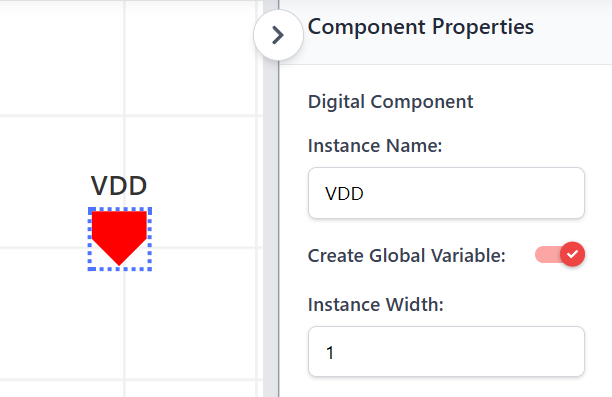
For Input, Output, Power, and Ground component, a "Create Global Variable" toggle appears in the properties panel. This is useful in large designs where routing a wire across the entire canvas is impractical.
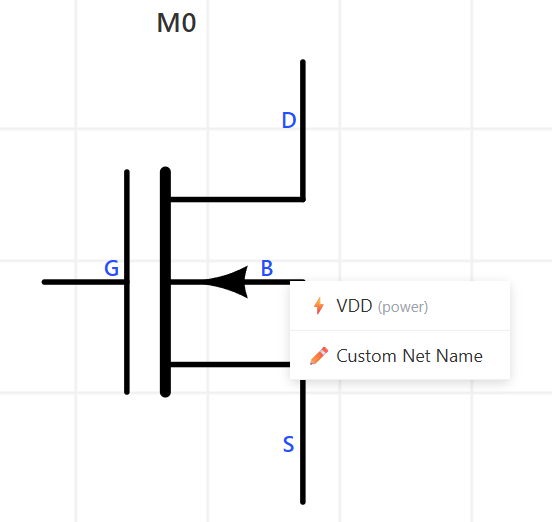
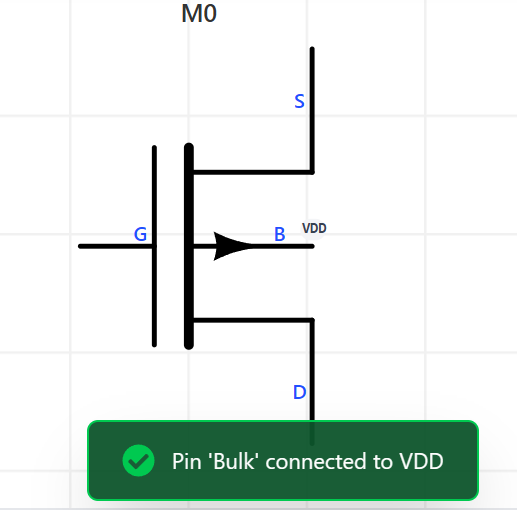
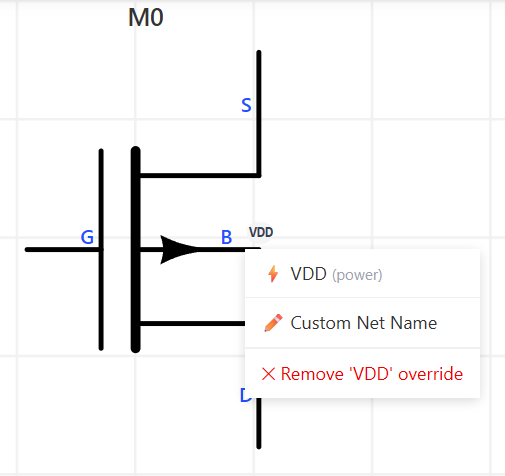
For example, if a VDD power node is placed far away from a MOSFET, instead of routing a long wire you can right-click any component pin and a context menu appears listing all defined global variables. Select VDD, GND, or any named input/output and that pin gets labeled with the net name, no wire needed. It will be correctly connected in the generated HDL or SPICE output. You can also choose "Custom Net Name" from the right-click menu to assign any arbitrary net label (e.g., AVDD, VSS, NET1) directly to a pin without drawing a wire.
Creating a Global Variable
Using a Global Variable